
Notes
Document workflows on the canvas with resizable, color-coded sticky notes. Notes never execute and are stripped from published APIs.
Notes are sticky notes for the canvas — document what a section of the workflow does, leave instructions for teammates, or mark TODOs.
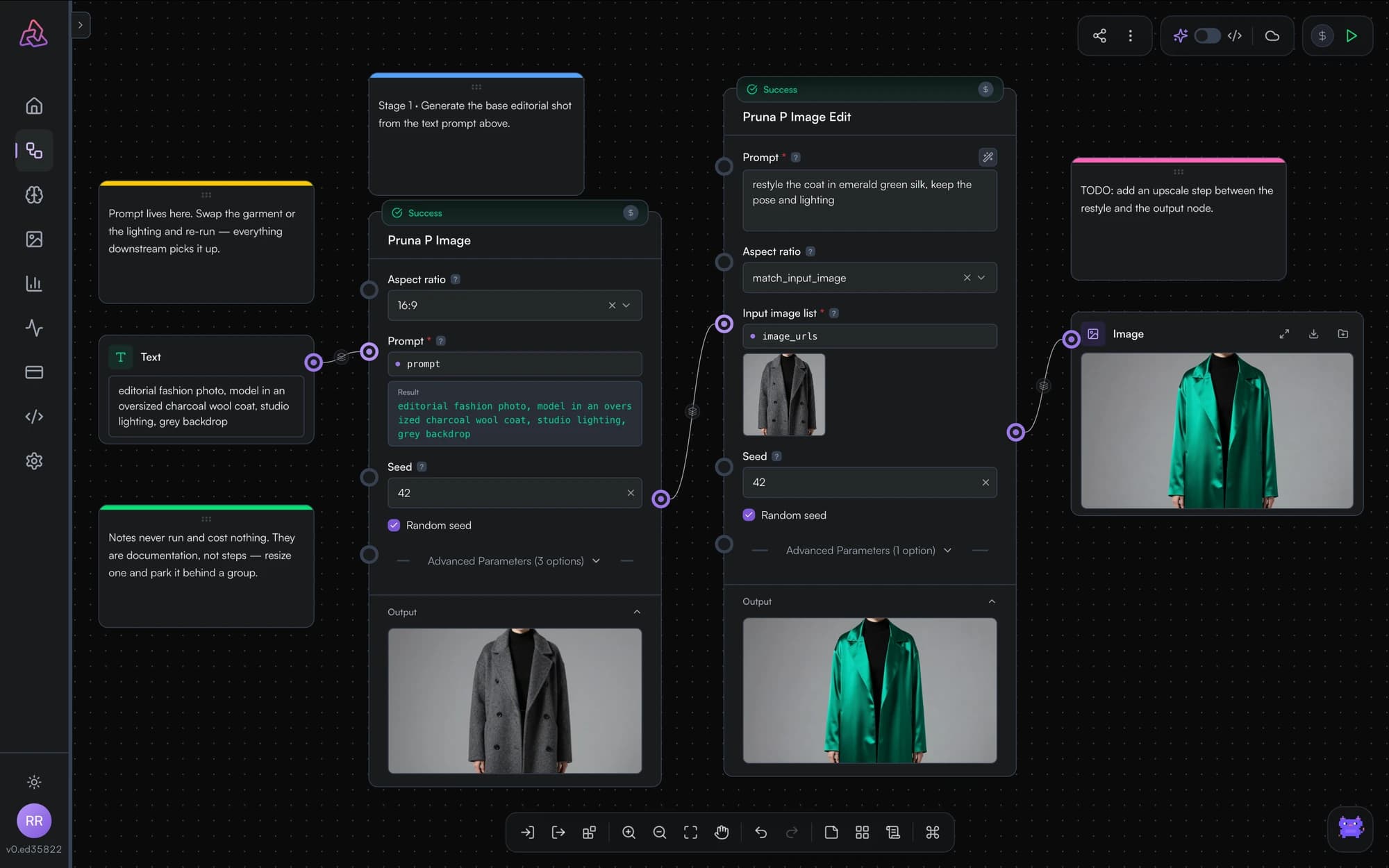
Working with notes
- Add a note with Add Note, the last button in the canvas toolbar, then type directly into it.
- Color it — five colors (yellow, blue, green, pink, gray) help group related sections visually.
- Resize and move notes freely; park a large note behind a cluster of nodes to visually group a stage of the pipeline.
Notes are purely visual: they never execute, cost nothing, and are automatically stripped when you publish the workflow as an API.
You can also attach a short note to an individual node from its action bar — handy for "why is this parameter 0.35?"-style breadcrumbs.
Utility Nodes
Text concatenation, image resize, text split, and array join are implemented in the PixelFlow engine but cannot yet be added from the editor. What they will do, and what to use instead.
Build Your First Workflow
A step-by-step PixelFlow tutorial: build a text-to-image workflow from a blank canvas, run it, iterate with pinning, and get it ready to publish as an API.