
Output Nodes
Display workflow results with output nodes — automatic rendering for images, video, audio, text, and 3D — and name them to define your API's response fields.
Output nodes are where results land. Connect any node's output to an output node and it renders the data in the right format automatically.
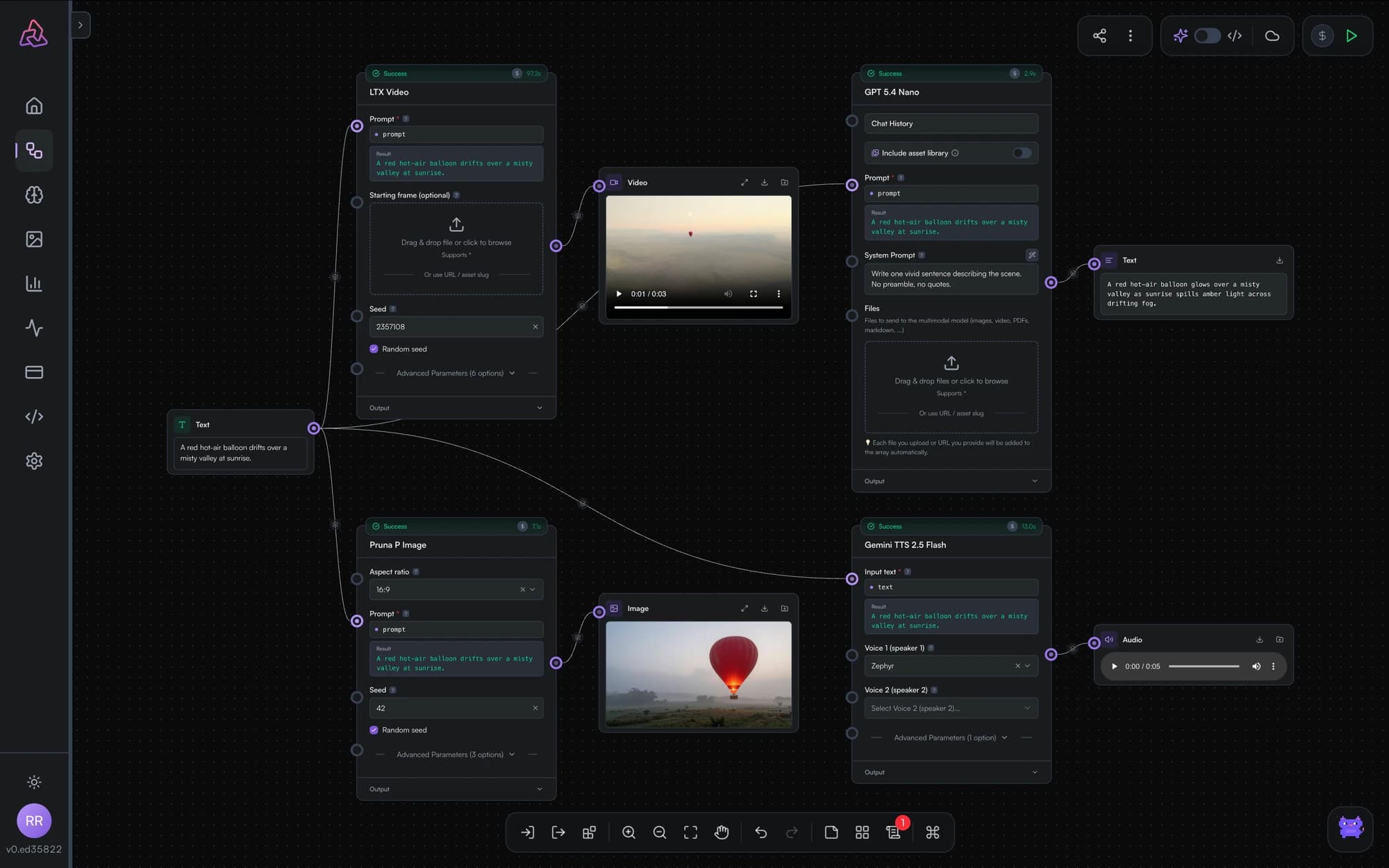
Automatic format detection
Output nodes detect what they receive:
- Images — displayed as a zoomable gallery
- Video — inline player
- Audio — inline player
- Text — rendered inline
- 3D — interactive viewer
Output nodes are resizable, so you can give a hero image more room or tuck a debug text output into a corner.
Wiring specific outputs
When an upstream model exposes multiple output ports — say, a generated video and its last frame — each port can feed its own output node, so you can inspect both.
Key names: defining API responses
Like input nodes, output nodes take a key name. When you publish the workflow as an API, each named output becomes a field in the API response. A workflow can return several named outputs — for example, an image and the prompt an LLM wrote for it.
Input Nodes
Feed data into PixelFlow workflows: text, number, dropdown, multi-select, JSON, and boolean inputs, plus file uploads with an inline inpainting mask tool.
Utility Nodes
Text concatenation, image resize, text split, and array join are implemented in the PixelFlow engine but cannot yet be added from the editor. What they will do, and what to use instead.