
Key Concepts
The PixelFlow mental model: workflows, nodes, edges, runs, templates, published versions, pinned outputs, credits, and teams — defined in one place.
A quick reference for the terms used throughout PixelFlow and these docs.
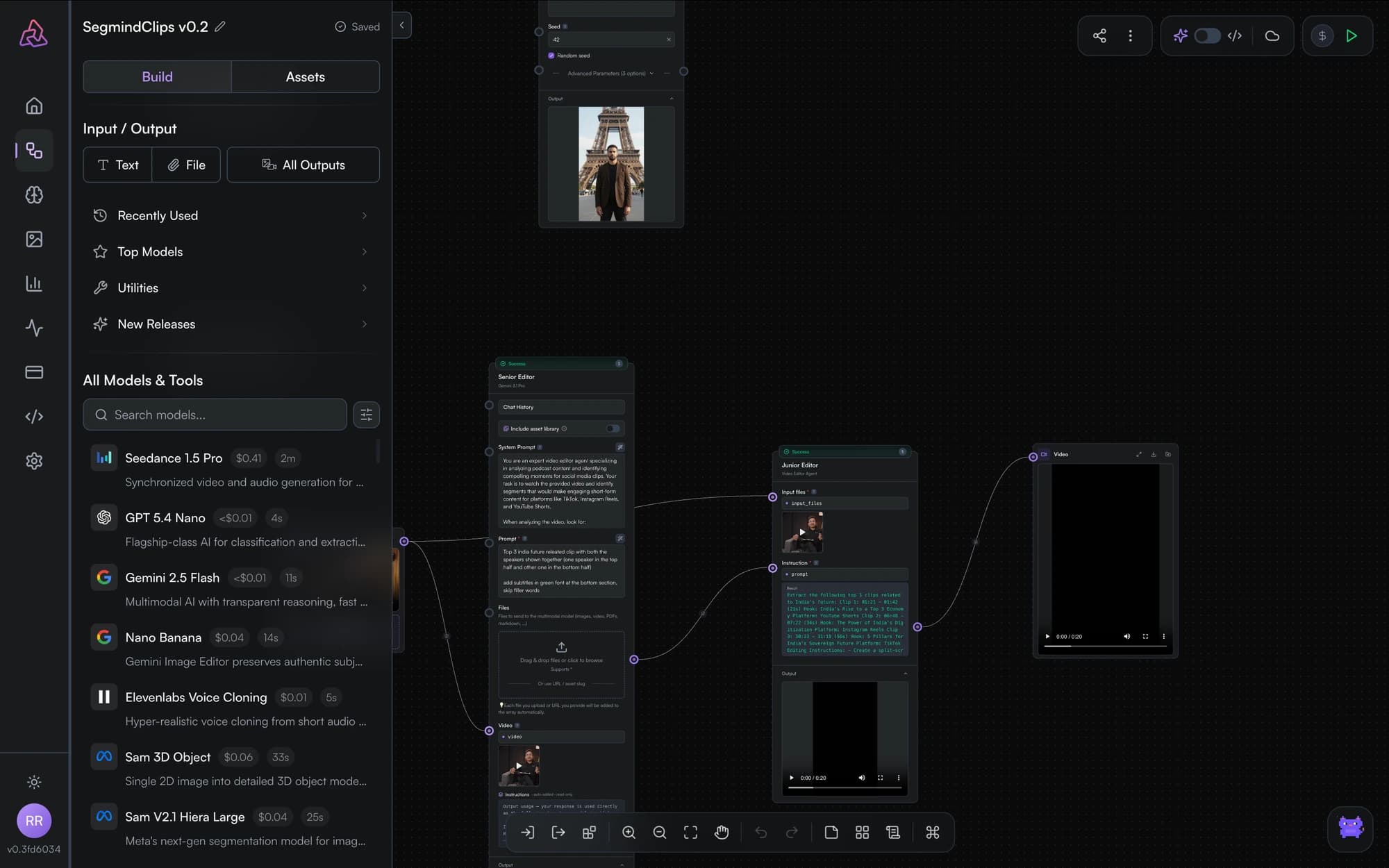
Workflow
A workflow (sometimes called a graph) is the unit of work in PixelFlow: a set of nodes connected by edges that together describe a pipeline. Workflows live in your library, auto-save as you edit, and can be shared, duplicated, exported as templates, or published as APIs.
Nodes and edges
Nodes are the building blocks — each one is an input, a model call, an output, a utility function, or a sticky note. Edges connect an upstream node's output port to a downstream node's input port and carry data between them. One output can feed multiple inputs.
See node types for the full catalog.
Runs
A run is one execution of your workflow. You can run the whole graph or a single node — running a node executes only that node and the upstream nodes it depends on. Node status (idle, in‑progress, success, error) is shown live on the canvas, and each model node reports its execution time and cost.
Pinned outputs
Pinning a node caches its last successful output: on the next run the node is skipped and its cached result is reused — until you unpin it, change its parameters, or change something upstream. Pinning saves time and credits while you iterate. See pinning and caching.
Templates
Templates are reusable workflow snapshots. Segmind publishes a gallery of templates you can clone into your workspace, and you can export your own workflows as templates to share a starting point with others.
Publishing and versions
Publishing turns a workflow into a REST API. Each publish creates a new immutable version (v1, v2, …) with its own slug, so callers aren't affected while you keep editing. Inputs and outputs you've named with a key name become the API's request and response fields. See publish as an API and the API reference.
Slugs
A slug is the URL-safe identifier of a published workflow — it's what you call in POST /workflows/v2/{slug}. Slugs are generated when you publish.
Credits
Model nodes consume Segmind credits when they run, just like direct AI Gateway calls. Each model node shows an estimated cost before you run it. Credits and billing are managed in your account.
Teams and sharing
Workflows can be shared with individual users by email or with your team. Shared workflows appear in the recipient's library. See sharing and collaboration.
Getting Started
Create your first AI workflow in PixelFlow: open the library, add input, model, and output nodes, connect them, and run — all in under ten minutes.
The Editor
Tour the PixelFlow editor: the canvas, model search, asset gallery, logs panel, node configuration, run controls, auto-save, and undo/redo.