
Templates
Start from working AI workflow templates: browse the PixelFlow gallery, clone any template into your workspace, and customize it — no blank-canvas problem.
Templates are pre-built, working workflows you can clone and make your own — the fastest way past the blank canvas.
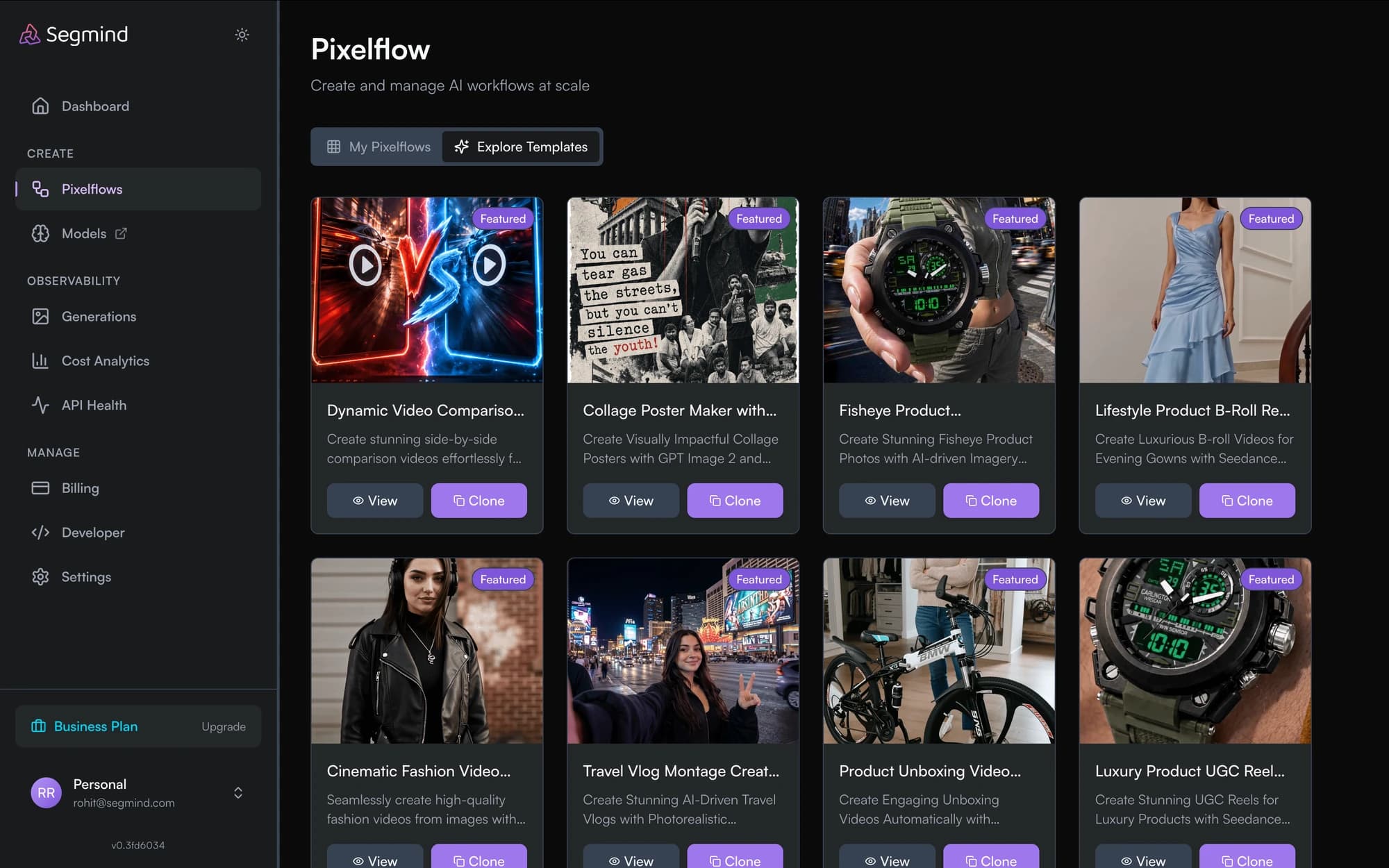
Browsing templates
Open PixelFlow → Templates to browse the gallery. Each template shows a preview and description of what the pipeline does — image pipelines, LLM chains, multi-modal workflows, and more.
Cloning a template
Open a template and click Clone. A copy lands in your library as a regular workflow — yours to edit, run, share, and publish. The original template is unaffected.
Customizing
A cloned template is a normal workflow. Typical first edits:
- Swap a model node for a different model from the catalog
- Change input nodes and their key names to fit your API
- Add or remove steps — upscalers, captioners, utilities
Publishing your own templates
Built something worth sharing? Export your workflow as a template. Template submissions are reviewed before they appear in the public gallery.
Sharing and Collaboration
Share PixelFlow workflows with teammates by email or team, duplicate workflows, and export them as reusable templates for your organization.
Publish a Workflow as an API
Turn any PixelFlow workflow into a production REST API: name your inputs and outputs, publish a version, test it in the console, and call it from your code.