
Fan-Out and Parallel Runs
Run a model once per item with fan-out edges in PixelFlow, then gather results with collect — visual map/reduce for AI: batch images, compare models, scale prompts.
Fan-out turns one edge into many runs: when the data flowing across it is an array, the downstream nodes execute once per item. Collect does the reverse — it gathers a fanned-out region's per-item results back into a single array. Together they're visual map/reduce.
Edge modes
Click an edge to set its mode:
- None (default) — data passes through unchanged.
- Fan-out — the array on this edge is unpacked; everything downstream runs once per item. Reference the current item in node fields with
{{ item }}, or{{ item.field }}for arrays of objects. - Collect — closes a fan-out region: per-item results are gathered into one array, and downstream nodes run once.
Fan-out and collect are mutually exclusive on a single edge — fan out on the way in, collect on the way out.
Fanning out from an LLM
A powerful pattern: have an LLM generate the list. When a fan-out edge originates from an LLM node, PixelFlow works out which {{ item.* }} fields your downstream nodes consume and asks the model for exactly those — visible on the node as a read-only Instructions field.
On models that support structured outputs, that same field list is also sent as an enforced response schema, so the shape is a guarantee from the provider rather than a request the model can drift from. Each key is typed from the field it feeds and carries that field's own description, and a fixed-choice field — a dropdown such as Aspect ratio — restricts the model to that field's actual options. Models without structured-output support still receive the written instructions.
Input (topic)
  → LLM "write 5 image prompts about {{ input_1 }}"
  → fan-out → image model (5 parallel runs)
  → collect → Output (gallery of 5)
Comparing models in parallel
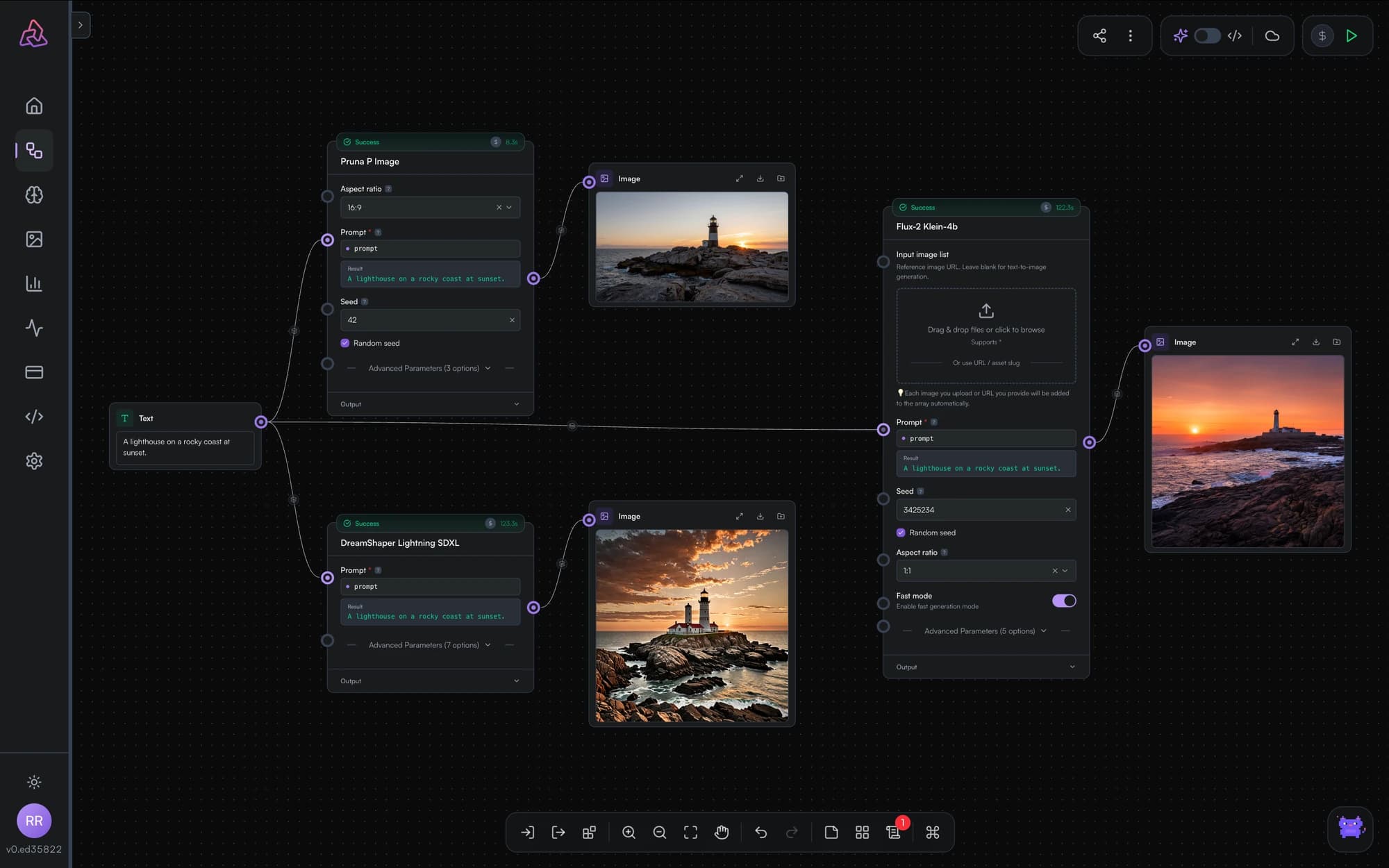
Fan-out isn't the only way to parallelize — a single output can also feed multiple different nodes directly. Wire one prompt input into three different image models side by side and run once to compare them on identical input.
Use cases
- Batch processing — caption every image in a list, upscale a folder's worth of assets
- Prompt sweeps — generate N variants and pick the best
- Model comparison — same input across competing models
- Pipeline scaling — publish the workflow as an API and the fan-out scales with the array your callers send
LLM Chat History
The Chat History input on PixelFlow's LLM nodes is not yet carrying conversation context between turns. What the connection does today, and what to use instead.
The Asset Library
Every file you upload or generate is kept in one library — searchable, filterable by type, tagged by project and category, and reusable across workflows without re-uploading.