
Account and Developer Settings
Find your account and developer settings in the Segmind console: profile, API keys, webhooks, and how to request account deletion.
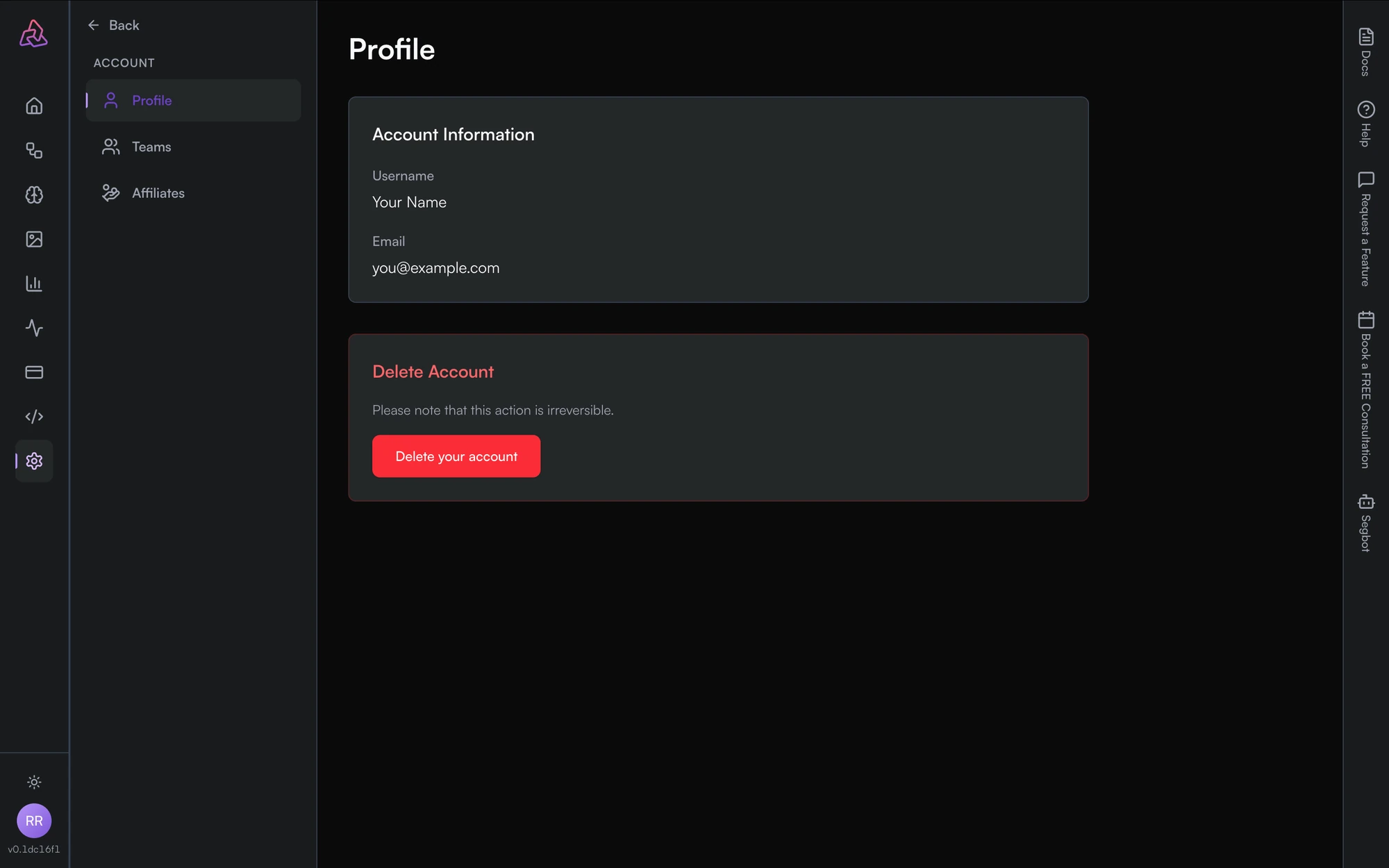
Account and developer settings live in two sections at the bottom of the console's left nav. Clicking either one swaps the nav for that section's pages.
| Nav | Contains |
|---|---|
| Settings | Profile, Teams, Affiliates |
| Developer | API Keys, Webhooks |
Profile
Settings → Profile shows your Account Information — the username and email on the account — and the controls for deleting it.
API keys and webhooks
Developer → API Keys is where you create and revoke the keys used to authenticate API requests. See the AI Gateway docs for how to send one.
Developer → Webhooks is where you register endpoints to be called when a job changes state, so you don't have to poll for results. The Webhooks page covers the payload and the events that fire.
Delete your account
Account deletion is irreversible. It cancels your team memberships and stops your API keys from working.
Go to Settings → Profile and click Delete your account. You will be asked to confirm, and you can optionally say why you are leaving.
Deleting is a request, not an instant action. Once submitted it is processed
in the background, and the Profile page then shows the request's reason,
when it was requested, and its status as it moves from REQUESTED
through IN_PROGRESS to completion.
Two things will stop a request going through:
- A negative credit balance. If your account has due credits you are asked to settle the balance first. Top up on the Billing page, then try again.
- An existing request. Only one deletion request can be open at a time; a second is rejected and tells you the status of the one already in flight.
You do not need to leave or hand over your teams first — processing the request deactivates your team memberships for you.
Deleting your account is not the same as deleting a team. A team outlives the member who leaves it; see Teams for transferring ownership and deleting a team.