
Models
Browse the Segmind model catalogue, filter by modality and price, and open any model to run it or read its API reference.
Every model Segmind serves is listed in one place. Open Models from the left nav of the console, or go straight to segmind.com/models.
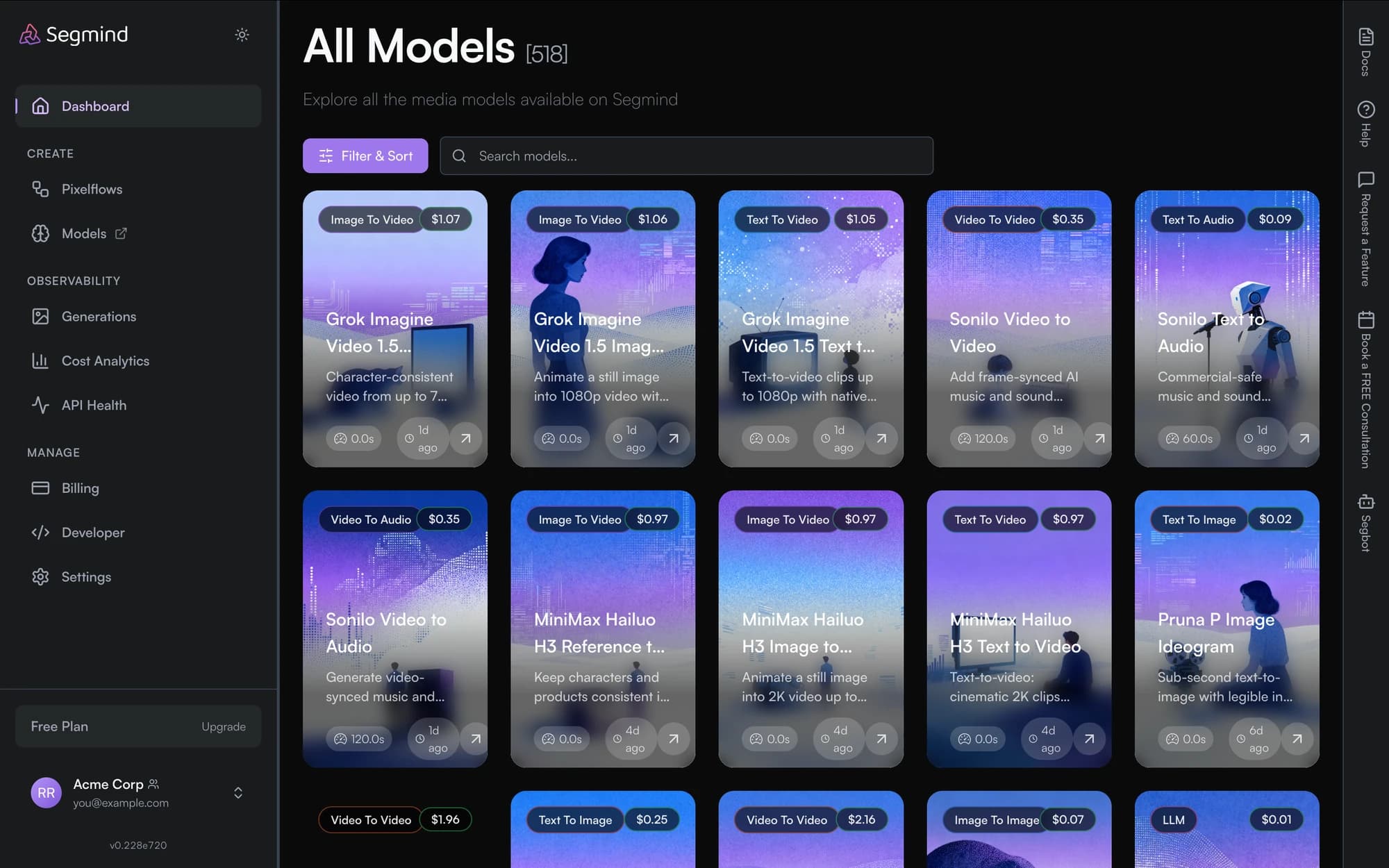
Reading a model card
Each card carries the things you usually decide on before opening anything:
| On the card | What it tells you |
|---|---|
| Modality tag | Text To Image, Image To Video, LLM and so on — see key concepts |
| Average price | the typical cost of one run, so you can compare before committing |
| Description | one line on what the model is for |
| Latency | how long a run typically takes |
| Added | how recently it appeared, which is how you spot new arrivals |
Filter & Sort narrows the list by modality and orders it by price or latency. The search box matches on name.
Selecting a card opens the model's own page, where you can run it from the playground without writing any code, and read the exact parameters it accepts.
Running a model
Once you know the slug — it is in the model's URL — you can call it directly:
curl -X POST "https://api.segmind.com/v1/<model-slug>" \
  -H "x-api-key: $SEGMIND_API_KEY" \
  -H "Content-Type: application/json" \
  --output output.jpg \
  -d '{"prompt": "a lighthouse at dusk"}'
See Quickstart for a complete first request, and the AI Gateway reference for parameters, error codes and the async API.
The catalogue is also available programmatically. segmind.models.list() in the
Python SDK returns every model with its
slug, modality, average cost, latency and parameter schema — useful for building
your own picker, or for checking whether a slug you depend on is still current.
Importing your own model
Importing a LoRA of your own is not currently reachable from the console — there is no entry point for it on the models page. If you need a custom or private model hosted on Segmind, contact support@segmind.com.
Authentication
How to authenticate with Segmind: sign in with Google, Microsoft, Discord or a one-time email link, which host serves the account API, JWT bearer tokens, and API keys for server-to-server calls.
Playground
Run any Segmind model in the browser: the compose dock, one-click settings, up to three generations at once, the session strip, and editing the raw request as JSON.