
Getting started
Follow instructions below to create your own inference endpoint in seconds.
Step 1: Access the Dedicated Endpoint Creation Page
- Log into your Segmind account.
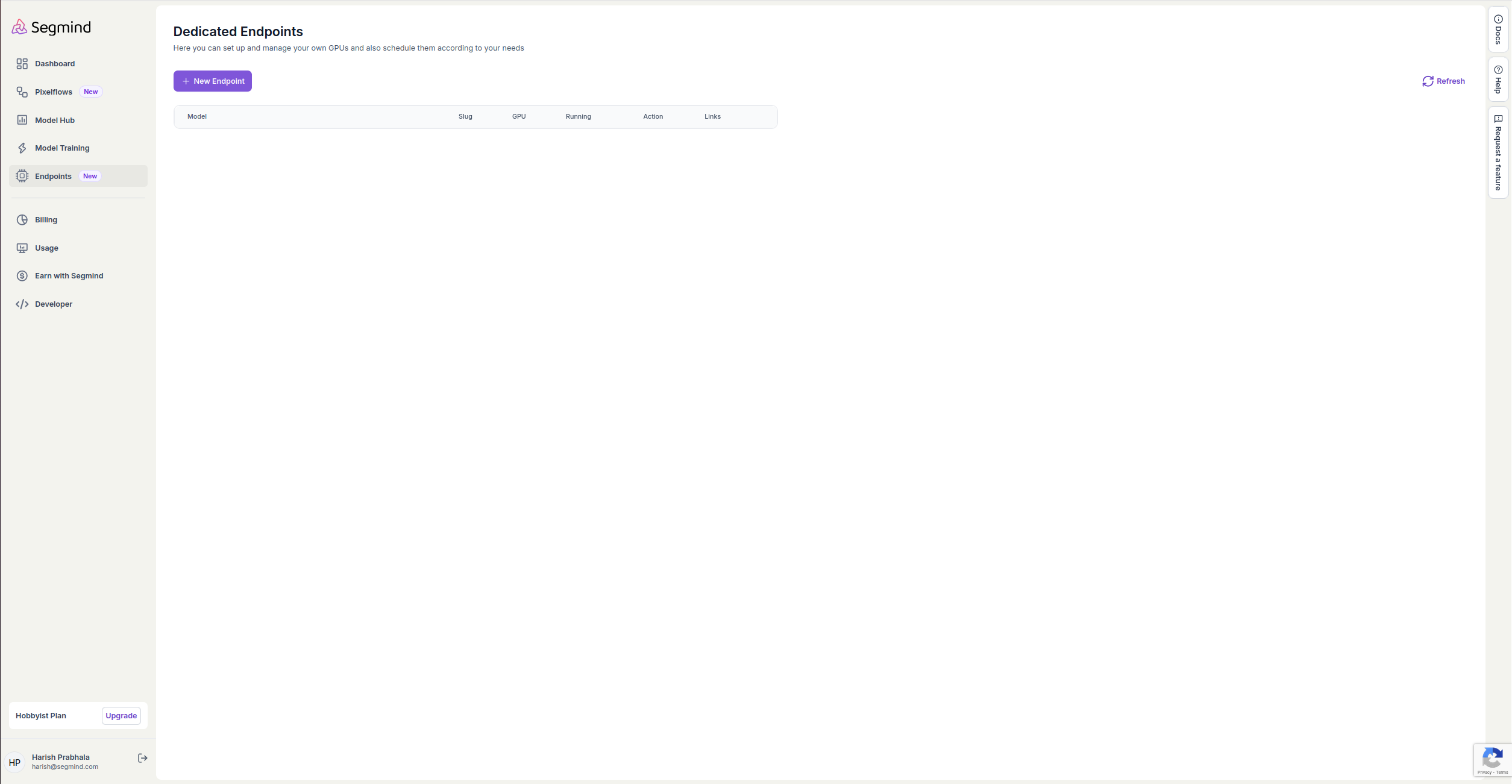
- From the left sidebar on console, click on Endpoints.
- Click on New Endpoint to begin creating a dedicated endpoint.
Step 2: Choose Your Model
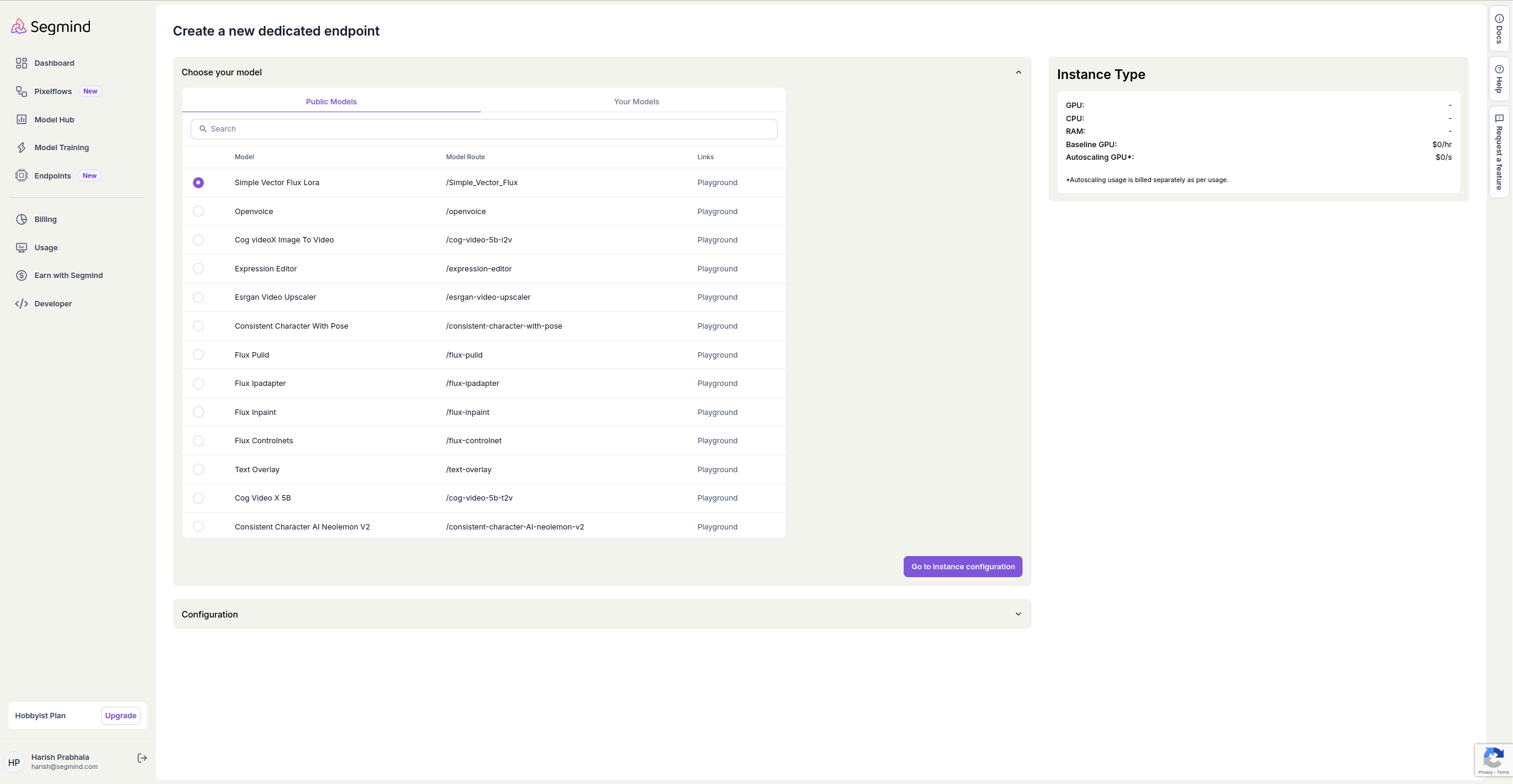
- In the Create a new dedicated endpoint section, you will see a Choose your model dropdown.
- Select the model you wish to use. You can find models under Public Models or Your Models. For this example, we'll select the Simple Vector Flux model.
Step 3: Configure the Endpoint
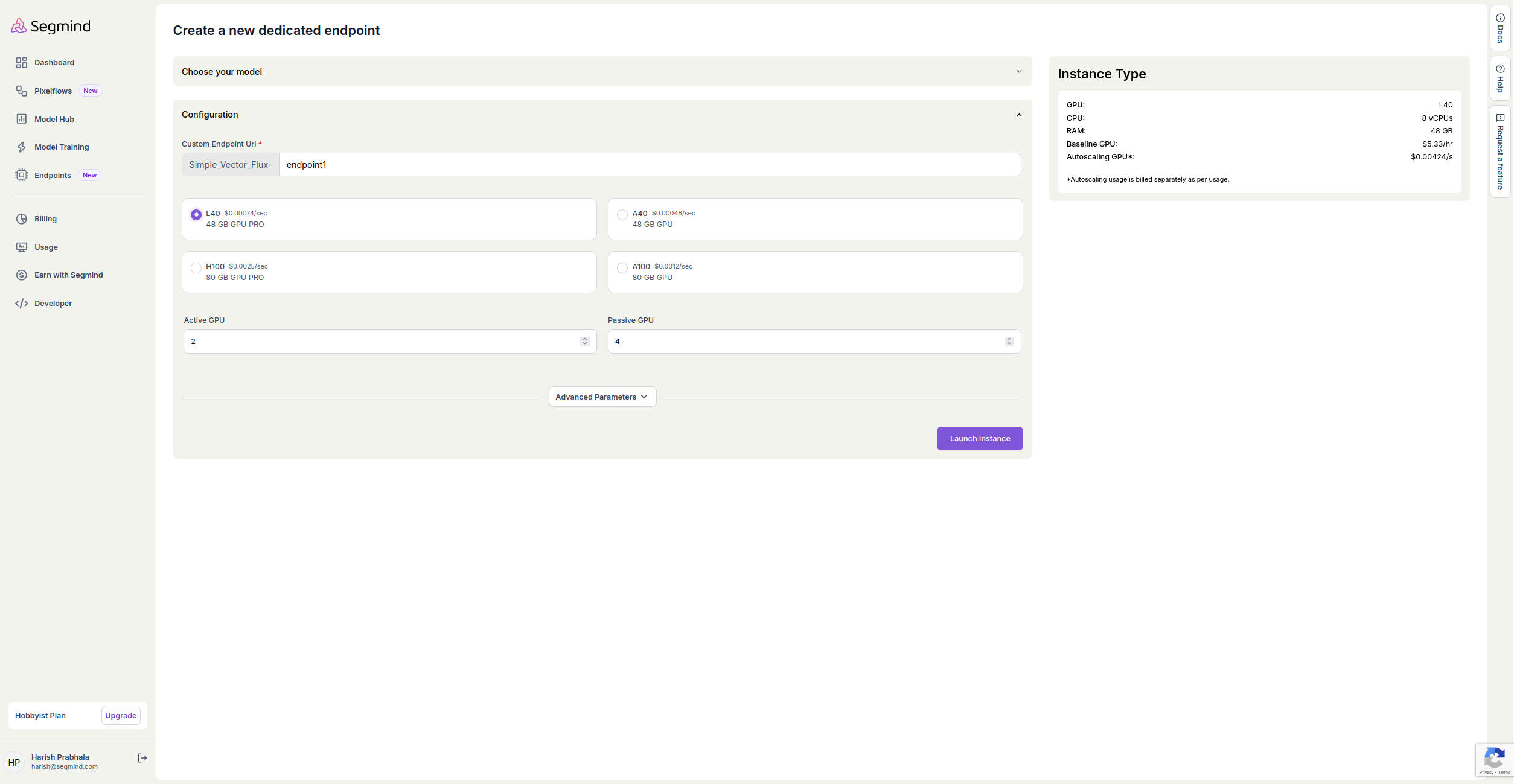
- In the Configuration section, fill in the following details:
- Custom Endpoint URL: Enter a unique name for your endpoint, e.g.,
endpoint1. - Instance Type: Choose your preferred GPU type (e.g., L40, H100, A40, A100).
- Active GPU: Specify the number of active GPUs you want to use (e.g., 2).
- Passive GPU: Enter the number of passive GPUs (e.g., 4).
- Custom Endpoint URL: Enter a unique name for your endpoint, e.g.,
- Select the Scale Type:
Step 4: Review Instance Type
- Review the instance type information on the right-hand side to confirm your selections. It displays the GPU type, CPU count, RAM, and pricing details.
- Ensure the settings align with your requirements.
Step 5: Launch the Instance
- Once you have completed the configuration and reviewed your choices, click on the Launch Instance button at the bottom to create the endpoint.
Step 6: Manage Your Endpoints
- After launching, you will be redirected to the Dedicated Endpoints page.
- Here, you can view and manage your created endpoints. You will see options to start, stop, or delete endpoints as needed.
- Click on usage button to see the usage for your endpoint by different granularity.
Dedicated Endpoints
Endpoints are GPU instances enabling AI models to be deployed on dedicated hardware . This enables private inferences that automatically scale up or down based on traffic.
Endpoint APIs
Endpoints can be managed via APIs as well as UI. Use the APIs to create/delete endpoints, update capacity or other configuration parameters for each endpoint.